
Download PDF
Registration
Registration for STOCKHOLM is free and open to representatives of agencies that preposition relief stock.
For other users that do not manage stock, it is possible to register for STOCKHOLM with View only access.
Registration is possible by request, as described in this Guide, or by receiving an invitation link (see the Invitation to Register User Guide).
How to register
1. www.esups-stockholm.org to reach the sign-in page.
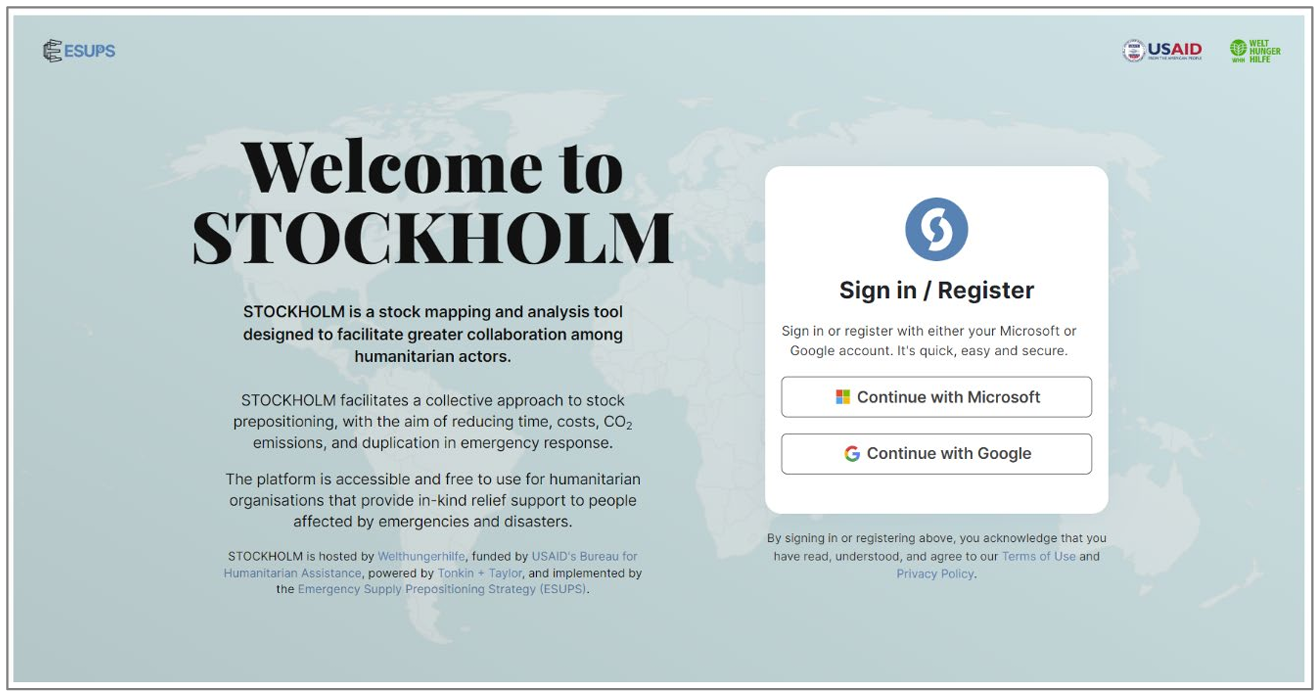
2. Choose to register with either a Microsoft email address or a Google email address.
In most cases, the Microsoft option is connected to your professional email address. This option is strongly recommended.
Google is the appropriate option for Gmail, Hotmail and Yahoo addresses.
3. On the registration page, complete all fields. Fields marked with a red asterisk (*) are mandatory.

A. Email address and mobile number are critical to ensure the 2-step verification process and to receive STOCKHOLM notifications related to your stocks.
Please make sure to fill in both, including the country code for your mobile phone number (select the country flag that appears before the number, or start typing the first letters of the country).
B. If your Agency is not listed, please select “Other”. A field called Agency Name will appear, where you can enter the name of your agency.
The ESUPS team will contact you in case further details are needed (e.g. the geographical area where you operate).
C. If available, choose your Geographical Area from the drop-down menu. If you previously selected “Other” because your organisation is not yet listed, then select “World” as the Geographical Area.
D. If your agency does not manage prepositioned stock, or your role within your agency is not linked to stock data management, select “To access stock data only”. You will be given View only access. Otherwise select “To manage and access stock data”.
4. Read the Terms of Use and Privacy Policy before ticking the box to agree.
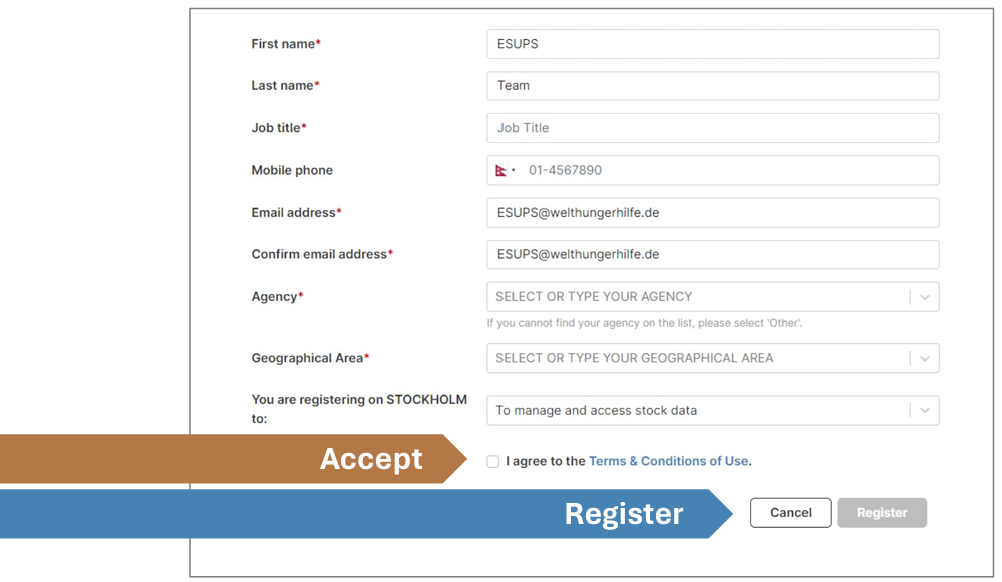
5. Click the Register button.
After completing the registration process you will receive a notification via email and SMS.
5. Click the Register button.

Your organisation’s focal point within STOCKHOLM will receive your registration request and grant you access.
You will receive confirmation via email and SMS once you have been granted access. The notification confirms your role and the geographical area that you have been granted access to.
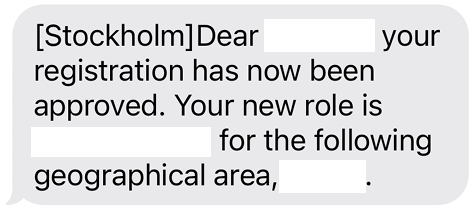
You will then receive future notifications via email and/or SMS to process the registration of any collaborators who report to you.
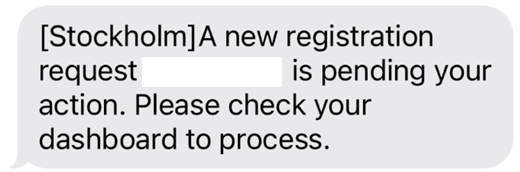
In this way, the STOCKHOLM tool becomes yours to fully utilise and manage.