
Download PDF
This Guide has two parts. The actions described in the first section of this Guide can only be performed by the following roles:
Instructions
There are two ways to register for STOCKHOLM:
- After receiving an invitation to register, or
- By requesting to register directly on the platform (see Registration User Guide).
This Guide describes how to invite someone to register for STOCKHOLM.
How to send an invitation to register
1. Open the Manage Data section.
2. Select Users.
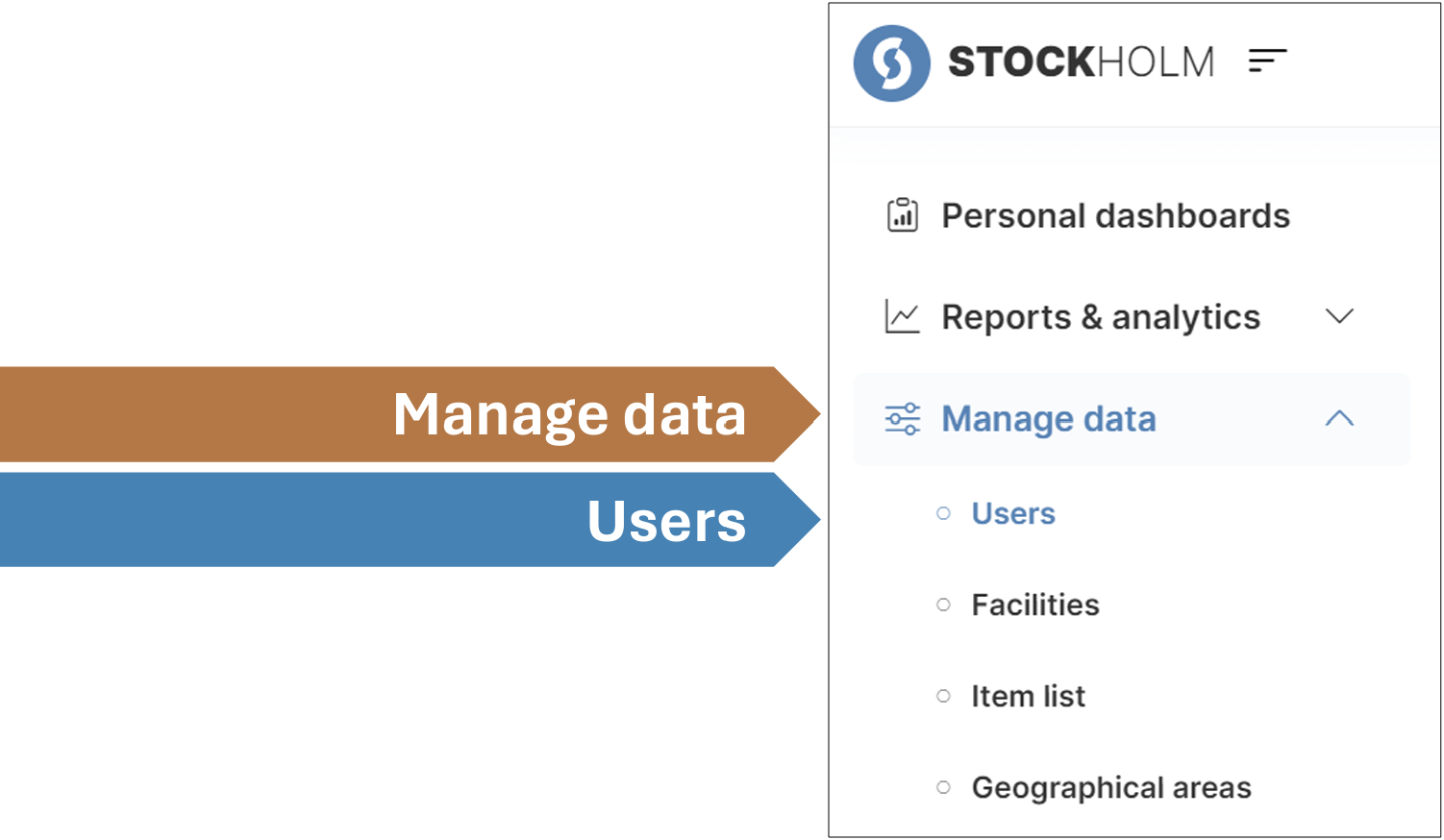
3. Click on the Invite User button on the top right corner.

4. Complete the fields with the details of the person you want to invite. All fields marked with a red asterisk ( * ) are mandatory.
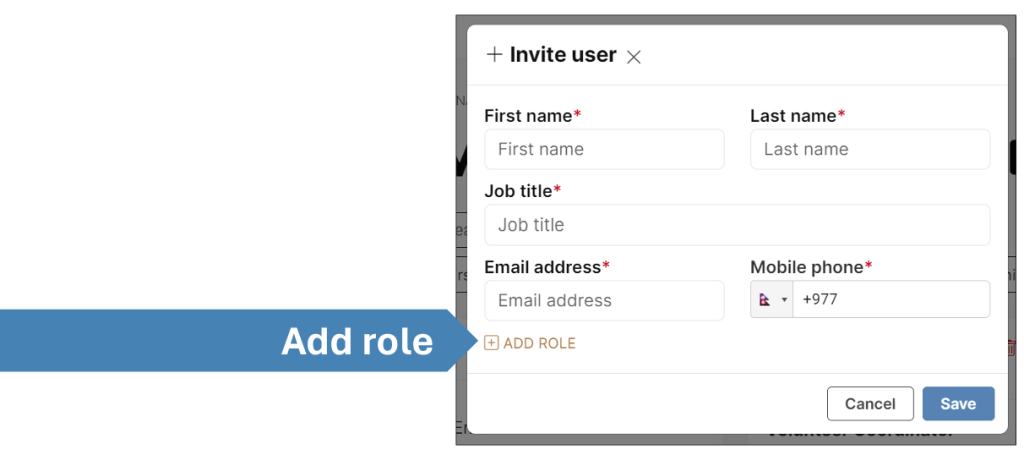
5. Click Add Role
6. Select the desired Role from the drop-down menu.
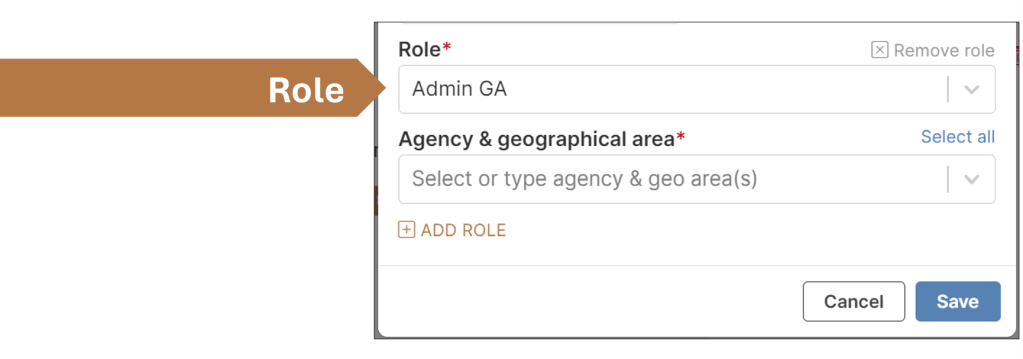
You will then choose to assign the person one or more roles in the platform, depending on the level of management they will have.
Admin GA: Administrator of a Geographical Area
Assign the person to the role of Admin GA and the relevant Agency & Geographical Area.
For example, the Global Logistics Coordinator of an agency can invite the Regional Logistics Coordinator for Africa. In this case, the role to select is Admin GA and the Agency & Geographical Area is “Agency Name”-Africa

Facility Manager: Responsible for one or more facilities
Assign the person to the role of Facility Manager and the relevant Facility or Facilities. For example, the Country Logistics Coordinator for Cook Islands can invite colleagues who are managing specific facilities in the country. In this case, the role to select is Facility Manager, and one or more facilities are to be selected (see the Facilities User Guide).

7. Click Save to send the invitation. The person you invited will receive an email with a link.

You can check the status of their registration at any time on your Personal Dashboard. You can also find their user card in the Manage data menu. Their status will be set to PENDING until they accept the invitation.
8. Once they have accepted the invitation, their corresponding user card will indicate APPROVED instead of PENDING.
How to accept an invitation to register
1. An invitation to register will be received via email. Click on the link contained in the email.
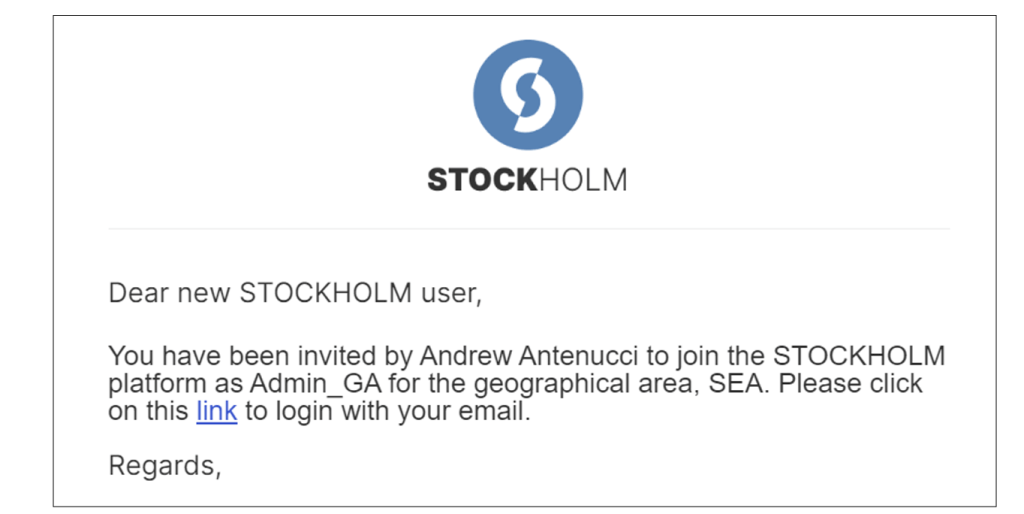
The link will open the Registration page.
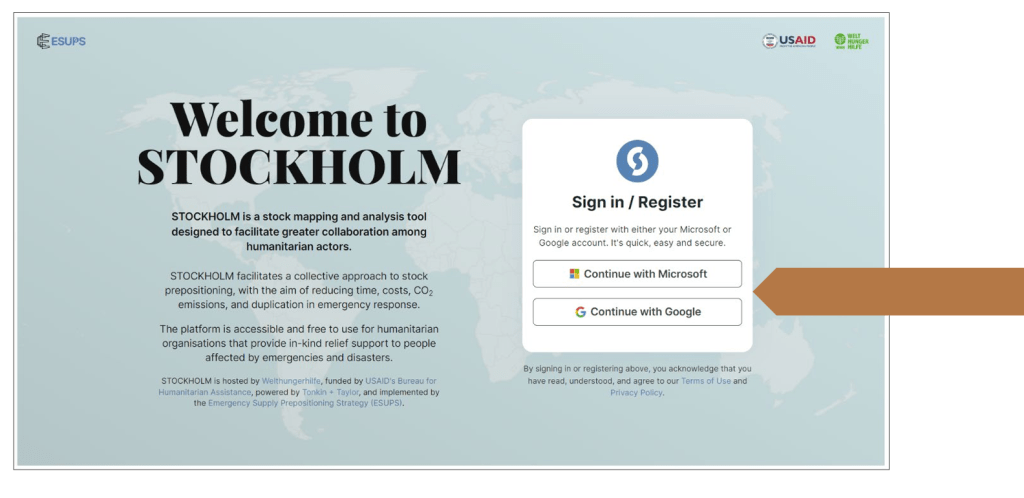
2. Depending on which email was used for the registration invitation, choose to register with either a Microsoft email address or a Google email address.
In most cases, the Microsoft option is connected to your professional email address.
Google is the appropriate option for Gmail, Hotmail and Yahoo addresses.
3. STOCKHOLM will open and a pop-up box will appear.
Click the box to accept the Terms of Use and the Privacy Policy.
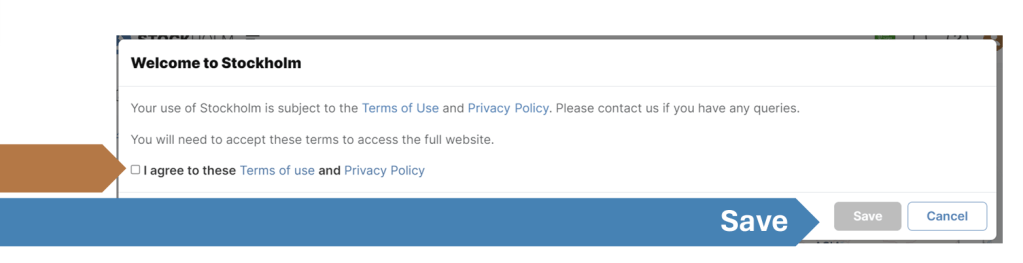
4. Press Save.
This completes the registration process, and the platform will be available to use.