
Skip to main content

Download PDF
Roles
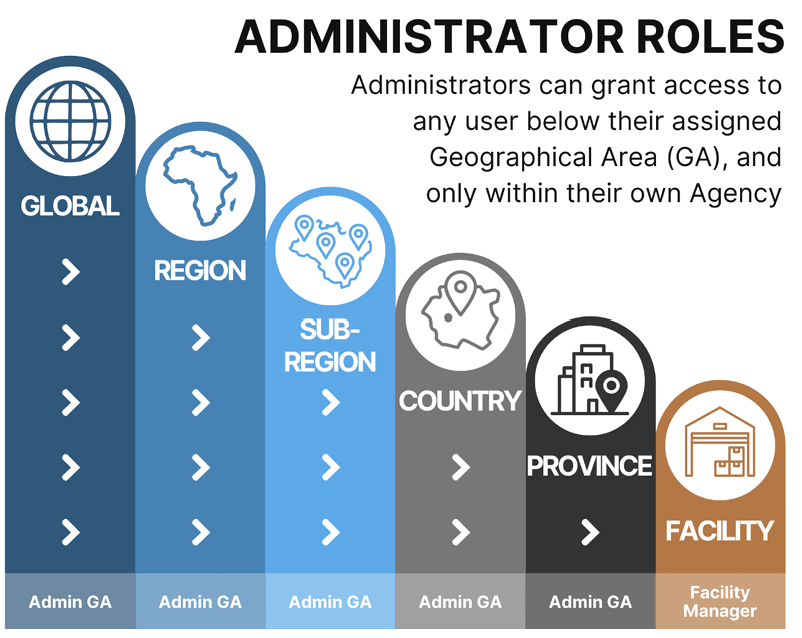
Each user’s role within STOCKHOLM gives them access to certain features within the platform.
A user can access and manage all functions at their level, as well as for all roles below the level of their role.
The below table provides an overview of the cascading roles in STOCKHOLM, and their corresponding rights.
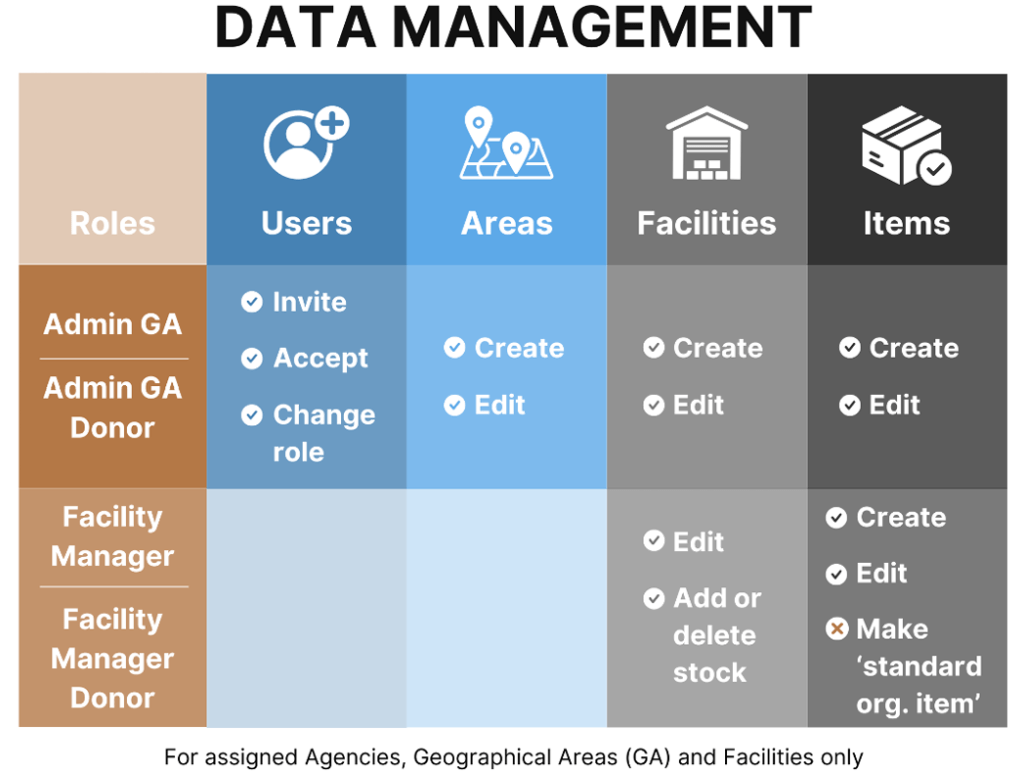
Below you will find a comparison chart of the access granted to each role category to manage certain data.
How to check your role
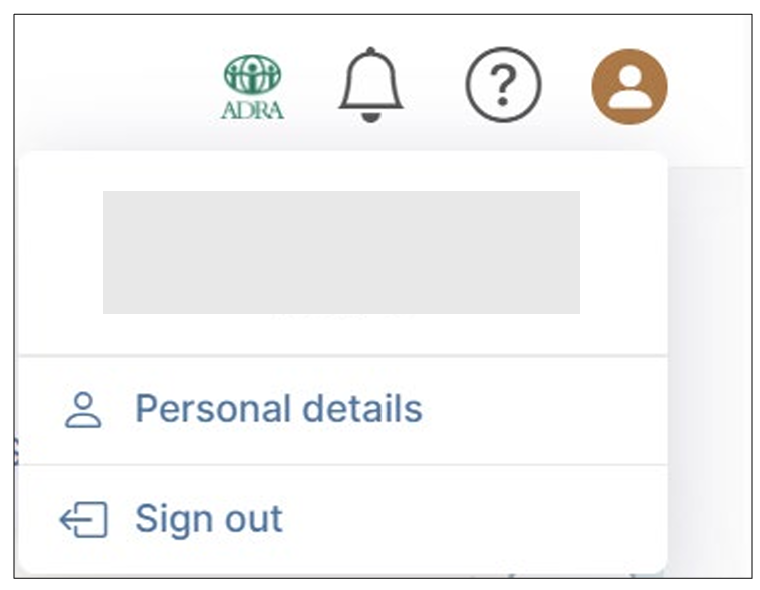
1. Click the Profile icon in the top right of any page.
2. Select Personal Details.
3. Check the Geographical Area and/or Facilities that you have been assigned to.
Your role category is the highest level of access given to you, corresponding to either:
a) Administrator of a Geographical Area (Admin GA); or
b) Facility Manager.